 Scan to join WeChat group
article
README
🚀 NBA 数据预测应用的 MCP 服务器
这是一个基于 MCP 的工具,专为 NBA 数据预测应用程序打造。它借助实时数据分析和高级统计建模技术,能够精准生成球员表现预测,为您带来更具前瞻性的赛事洞察。
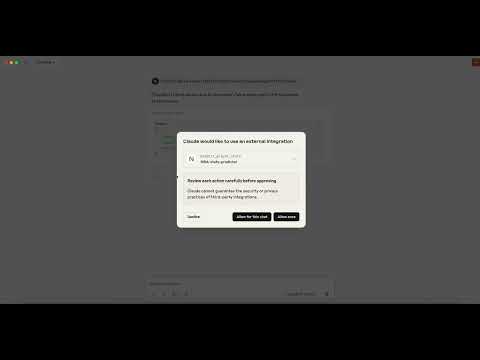
🚀 快速开始
按照以下步骤操作,您就能快速在 Claude Desktop 中使用 NBA 数据预测工具获取球员表现预测。
📦 安装指南
先决条件
- Python 3.8 或更高版本
- pip 包管理器
- Claude Desktop
分步安装说明
- 克隆仓库:将此仓库克隆到本地设备。
- 切换目录:
cd nba-stats-predictor-application - 创建虚拟环境:
python3 -m venv venv - 激活虚拟环境:
source venv/bin/activate - 安装依赖项:
pip install -r requirements.txt - 下载所需数据:
python3 data_pipeline/download_data.py - 训练预测模型:
python3 models/train_model.py - 启动 FastAPI 服务器:
uvicorn api.fastapi_server:app --reload - 打开新终端:打开一个新的终端窗口。
- 返回项目目录:返回到项目目录。
- 安装 UV 包管理器:
curl -LsSf https://astral.sh/uv/install.sh | sh - 重启终端:重新启动当前终端。
- 运行 MCP 服务器:
uv run mcp_main.py - 打开新终端:打开另一个新的终端窗口。
- 配置 Claude Desktop:
⚠️ 重要提示: 如果文件不存在,请创建它。code ~/Library/Application\ Support/Claude/claude_desktop_config.json - 添加配置:将以下配置添加到
claude_desktop_config.json文件中:{ "mcpServers": { "NBA-stats-predictor": { "command": "/实际路径/项目目录/.venv/bin/uv", "args": [ "--directory", "/实际路径/项目目录/", "run", "mcp_main.py" ] } } }/实际路径/项目目录/替换为您的实际项目路径。 - 完成安装:现在您应该可以在 Claude Desktop 中使用此 MCP 工具了。
💻 使用示例
配置完成后,您即可在 Claude Desktop 中使用 NBA 数据预测工具来获取即将进行的比赛的球员表现预测。
🔧 故障排除
- ⚠️ 重要提示:确保配置文件中的所有路径正确无误。
- ⚠️ 重要提示:在运行命令之前确保已激活虚拟环境。
- ⚠️ 重要提示:检查所有依赖项是否正确安装。
- ⚠️ 重要提示:启动 FastAPI 服务器前请确认其正在运行。