 Scan to join WeChat group
article
README
🚀 边缘 MCP 与 Pages 函数:地理定位演示
本项目展示了借助 EdgeOne Pages Functions 获取用户地理位置信息,并通过 MCP(模型上下文协议)将其与大型语言模型集成的方法,为相关应用开发提供了实用的示例。
🚀 快速开始
演示
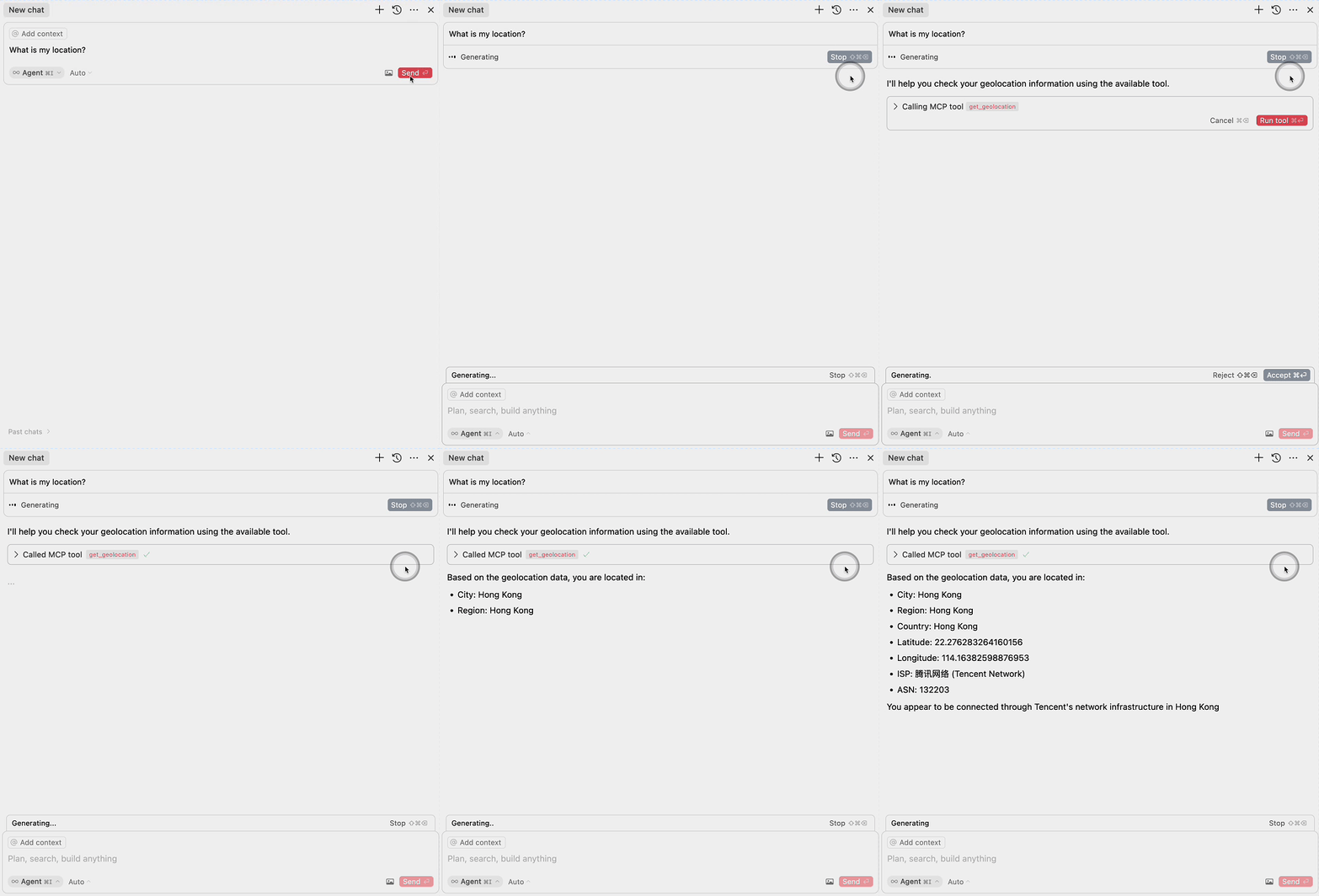
部署
你可以通过以下按钮快速部署项目:

更多模板可参考:EdgeOne Pages
✨ 主要特性
组件
1. EdgeOne Pages Functions:地理位置
本项目包含一个用于获取用户地理位置信息的 EdgeOne Pages 函数,具备以下特点:
- 使用 EdgeOne 请求上下文访问地理位置数据。
- 返回 JSON 格式的地理位置信息。
- 代码位于
functions/get_geo.ts。
2. MCP 服务器集成
MCP 服务器组件提供了接口,使大型语言模型能够访问地理位置数据,具体如下:
- 实现了 Model Context Protocol(MCP)。
- 暴露了一个名为
get_geolocation的工具,供 AI 模型使用。 - 使用 EdgeOne Pages Function 获取地理位置数据。
- 代码位于
mcp-server/index.ts。
📚 详细文档
MCP 配置
若要将 MCP 服务器与大型语言模型集成,请添加以下配置:
{
  "mcpServers": {
    "edgeone-geo-mcp-server": {
      "command": "tsx",
      "args": ["path/to/mcp-server/index.ts"]
    }
  }
}
学习更多
- EdgeOne Pages
- EdgeOne Pages Functions 文档
- 模型上下文协议(MCP) - 了解如何将 AI 模型与外部工具和服务集成