 Scan to join WeChat group
article
README
🚀 任务跟踪器
一个模型上下文协议(Model Context Protocol)服务器,它整合了Linear的任务管理功能与TrackingTime的时间追踪功能,为你的工作流程带来便利与高效。
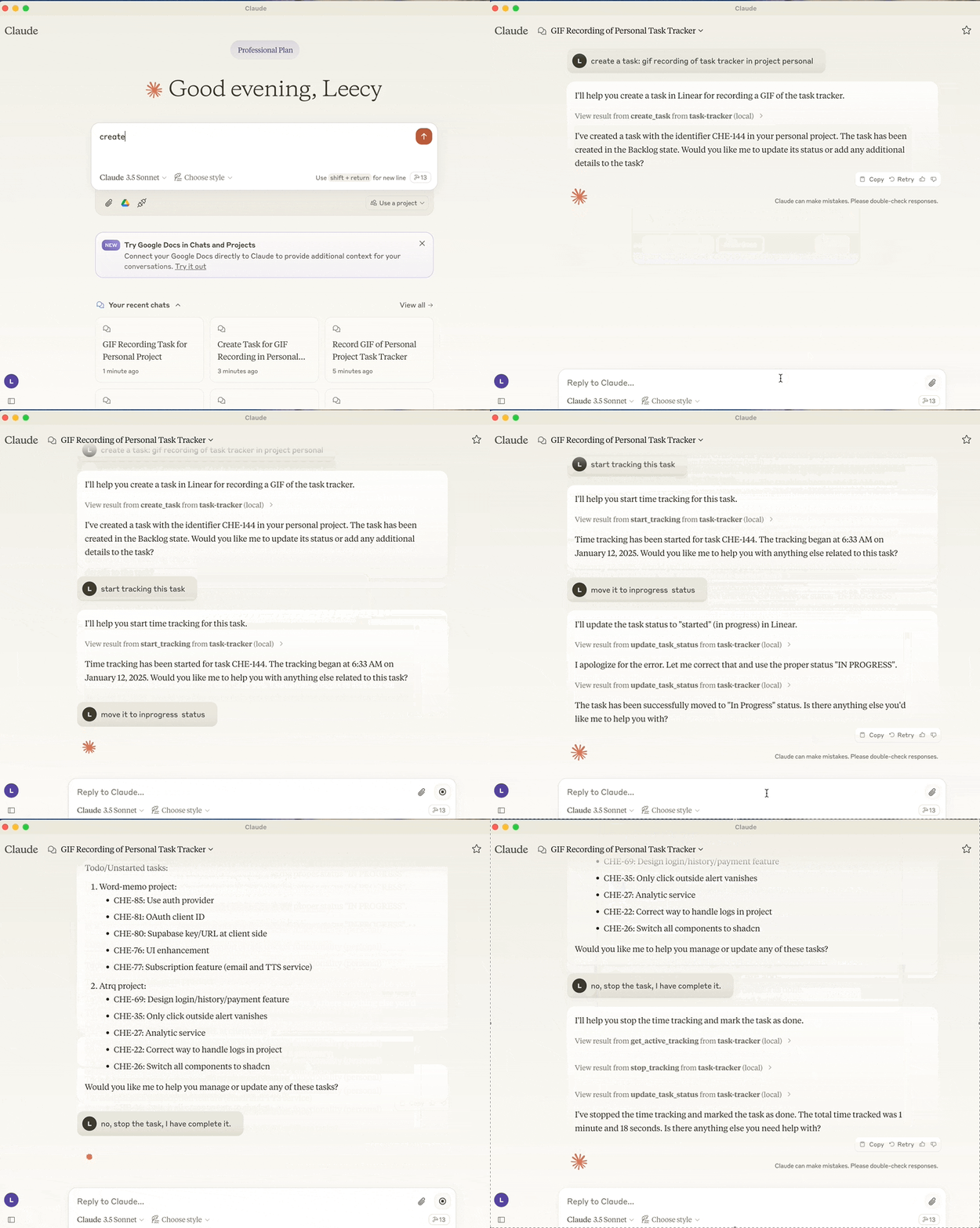

🚀 快速开始
本任务跟踪器是一个模型上下文协议(Model Context Protocol)服务器,它将Linear的任务管理和TrackingTime的时间追踪功能完美整合,让你可以更高效地管理任务和追踪时间。
✨ 主要特性
- 与Linear API集成进行任务管理:
- 可创建新任务,并能选择性地分配项目、添加描述和设置状态。
- 能够设置当前工作团队。
- 支持获取项目信息。
- 可按状态查看任务(待办、未开始、已开始、已完成、已取消)。
- 能搜索任务标题。
- 可以更新任务状态。
- 与TrackingTime集成进行时间追踪:
- 可启动任务的时间跟踪。
- 能停止活动时间跟踪。
- 支持查看当前活跃的追踪任务。
- 可以给追踪的任务添加备注。
📦 安装指南
- 设置环境:参考 .env.example 文件进行环境设置。
- 执行构建脚本或运行命令:
- 执行
sh scripts/setup.sh脚本进行构建。 - 也可以直接运行以下uv命令:
- 执行
uv build
uv run task-tracker
- 在Claude Desktop中进行配置:
{
    "mcpServers": {
        "task-tracker": {
            "command": "uv",
            "args": [
                "--directory",
                "/path/to/task-tracker",
                "run",
                "task-tracker"
            ]
        }
    }
}
🔧 技术细节
动机
我一直使用Linear进行任务管理,使用TrackingTime进行时间追踪。我发现利用大语言模型(LLM)自动化我的工作流程和任务将非常有帮助。借助大型语言模型的优势,我可以通过自然语言创建任务、更新任务状态、启动和停止时间跟踪,并执行更多操作。如果我开发适合自己需求的更多MCP服务器,我可以使Claude客户端成为我的一站式工作区。