 Scan to join WeChat group
article
README
🚀 Zendesk MCP 服务器
Zendesk MCP 服务器是基于 Zendesk 的 Model Context Protocol 打造的服务器,能够提供与 Zendesk 的全面集成服务。借助该服务器,用户可轻松检索和管理 Zendesk 票件与评论,还能获得特定的票件分析和响应草拟提示,并且可以完全访问整个 Zendesk 帮助中心文章知识库。


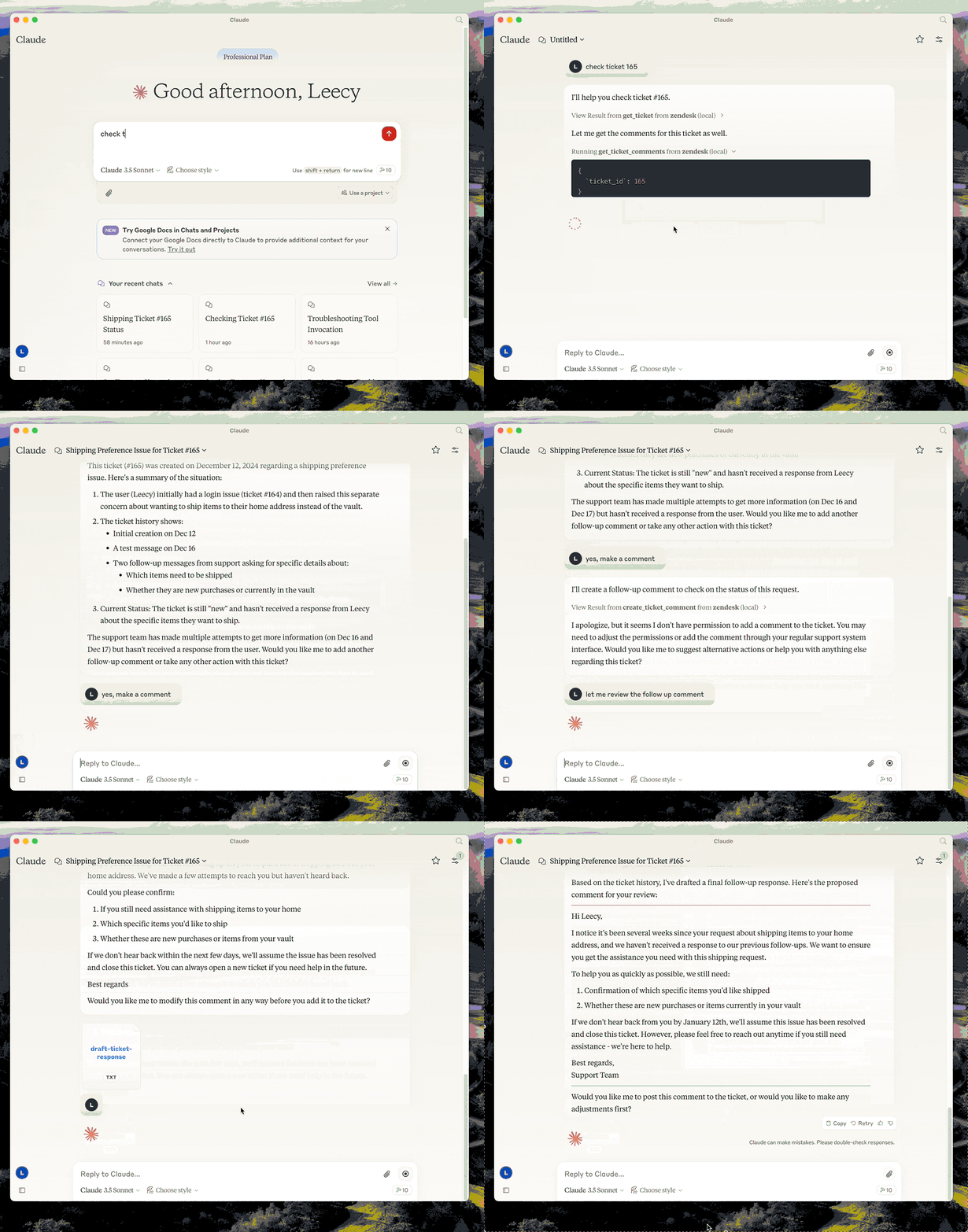
🚀 快速开始
安装与配置
- 构建项目:可以使用命令
uv venv && uv pip install -e .,也可以使用简短命令uv build。 - 在
.env文件中设置 Zendesk 凭据,可参考 .env.example。 - 在 Claude 桌面进行配置,配置内容如下:
{
  "mcpServers": {
      "zendesk": {
          "command": "uv",
          "args": [
              "--directory",
              "/path/to/zendesk-mcp-server",
              "run",
              "zendesk"
          ]
      }
  }
}
✨ 主要特性
- 提供工具用于检索和管理 Zendesk 票件和评论。
- 给出特定于票件分析和响应草拟的提示。
- 支持对整个 Zendesk 帮助中心文章知识库的完全访问。
📦 安装指南
构建项目
可以使用以下两种方式构建项目:
- 完整命令:
uv venv && uv pip install -e . - 简短命令:
uv build
配置凭据
在 .env 文件中设置 Zendesk 凭据,参考文件为 .env.example。
桌面配置
在 Claude 桌面进行如下配置:
{
  "mcpServers": {
      "zendesk": {
          "command": "uv",
          "args": [
              "--directory",
              "/path/to/zendesk-mcp-server",
              "run",
              "zendesk"
          ]
      }
  }
}
💻 使用示例
资源访问
通过 zendesk://knowledge-base 可访问整个帮助中心文章。
提示使用
analyze-ticket
此提示用于分析一个 Zendesk 票件并提供详细的票件分析。
draft-ticket-respons
该提示可用于起草对一个 Zendesk 票件的响应。
工具使用
get_ticket
通过其 ID 检索 Zendesk 票件。
- 输入:
ticket_id(整数): 要检索的票件 ID
get_ticket_comments
通过其 ID 检索 Zendesk 票件的所有评论。
- 输入:
ticket_id(整数): 要获取评论的票件 ID
create_ticket_comment
在现有的 Zendesk 票件上创建新评论。
- 输入:
ticket_id(整数): 要评论的票件 IDcomment(字符串): 评论文本/内容public(布尔值,可选): 是否公开显示评论(默认为 true)
📄 许可证
本项目采用 Apache 2.0 许可证。