 Scan to join WeChat group
README




select * from cloud;
Steampipe is the zero-ETL way to query APIs and services. Use it to expose data sources to SQL.
SQL. It's been the data access standard for decades.
Live data. Query APIs in real-time.
Speed. Query APIs faster than you ever thought possible.
Concurrency. Query many data sources in parallel.
Single binary. Use it locally, deploy it in CI/CD pipelines.
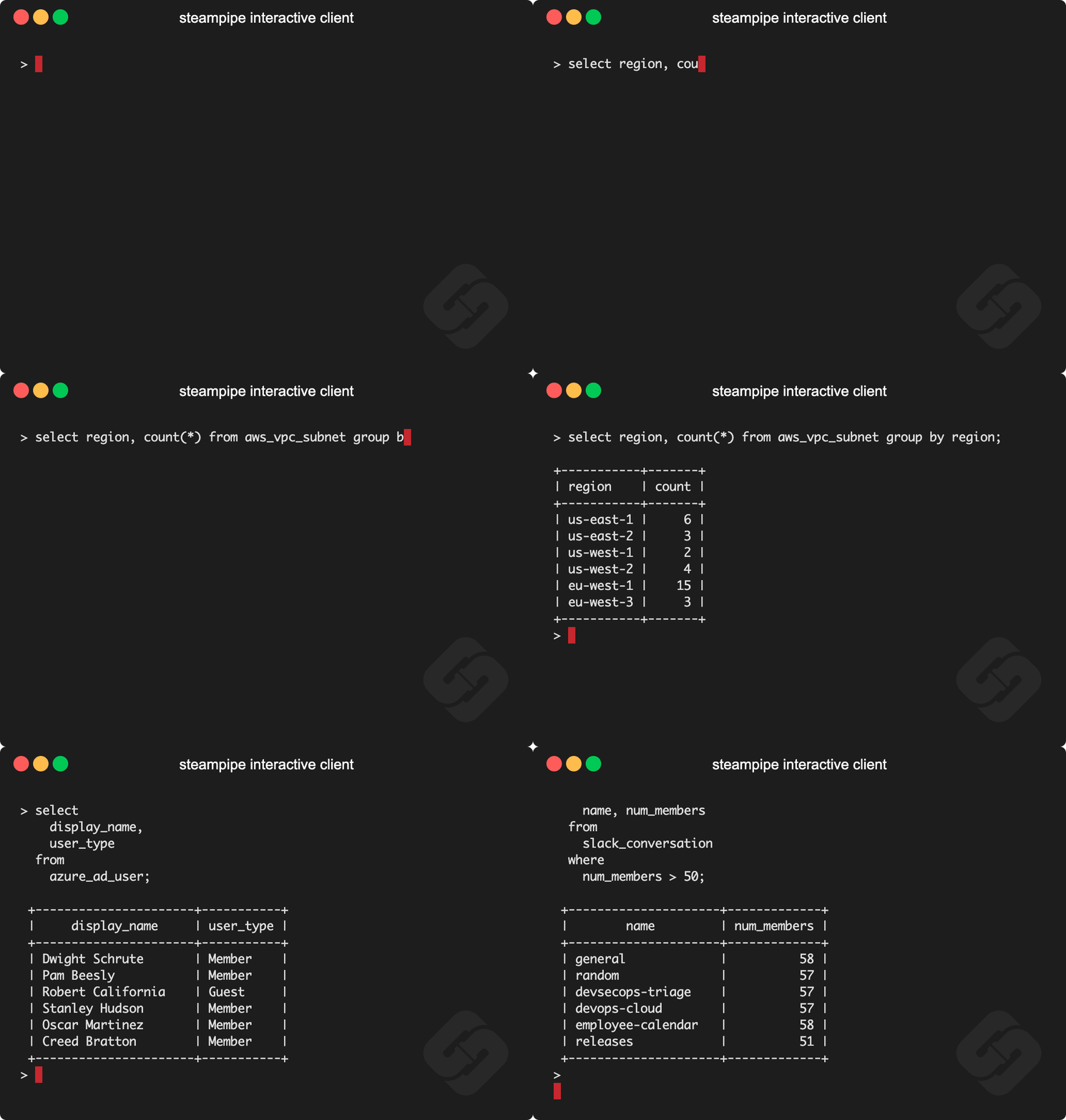
Demo time!
Documentation
See the documentation for:
Install Steampipe
Install Steampipe from the downloads page:
# MacOS
brew install turbot/tap/steampipe
# Linux or Windows (WSL2)
sudo /bin/sh -c "$(curl -fsSL https://steampipe.io/install/steampipe.sh)"
Install a plugin for your favorite service (e.g. AWS, Azure, GCP, GitHub, Kubernetes, Hacker News, etc):
steampipe plugin install hackernews
Query!
steampipe query
> select * from hackernews_new limit 10
Steampipe plugins
The Steampipe community has grown a suite of plugins that map APIs to database tables. Plugins are available for AWS, Azure, GCP, Kubernetes, GitHub, Microsoft 365, Salesforce, and many more.
There are more than 2000 tables in all, each clearly documented with copy/paste/run examples.
Steampipe distributions
Plugins are available in these distributions.
Steampipe CLI. Run queries that translate APIs to tables in the Postgres instance that's bundled with Steampipe.
Steampipe Postgres FDWs. Use native Postgres Foreign Data Wrappers to translate APIs to foreign tables.
Steampipe SQLite extensions. Use SQLite extensions to translate APIS to SQLite virtual tables.
Steampipe export tools. Use standalone binaries that export data from APIs, no database required.
Turbot Pipes. Use Turbot Pipes to run Steampipe in the cloud.
Developing
If you want to help develop the core Steampipe binary, these are the steps to build it.
Clone
git clone git@github.com:turbot/steampipe
Build
cd steampipe
make
The Steampipe binary lands in /usr/local/bin/steampipe directory unless you specify an alternate OUTPUT_DIR.
Check the version
$ steampipe --version
steampipe version 0.22.0
Install a plugin
$ steampipe plugin install steampipe
Run your first query
Try it!
steampipe query
> .inspect steampipe
+-----------------------------------+-----------------------------------+
| TABLE                             | DESCRIPTION                       |
+-----------------------------------+-----------------------------------+
| steampipe_registry_plugin         | Steampipe Registry Plugins        |
| steampipe_registry_plugin_version | Steampipe Registry Plugin Version |
+-----------------------------------+-----------------------------------+

> select * from steampipe_registry_plugin;
If you're interested in developing Steampipe plugins, see our documentation for plugin developers.
Turbot Pipes
Bring your team to Turbot Pipes to use Steampipe together in the cloud. In a Pipes workspace you can use Steampipe for data access, Powerpipe to visualize query results, and Flowpipe to automate workflow.
Open source and contributing
This repository is published under the AGPL 3.0 license. Please see our code of conduct. Contributors must sign our Contributor License Agreement as part of their first pull request. We look forward to collaborating with you!
Steampipe is a product produced from this open source software, exclusively by Turbot HQ, Inc. It is distributed under our commercial terms. Others are allowed to make their own distribution of the software, but cannot use any of the Turbot trademarks, cloud services, etc. You can learn more in our Open Source FAQ.