 Scan to join WeChat group
README
Trafilatura: Discover and Extract Text Data on the Web





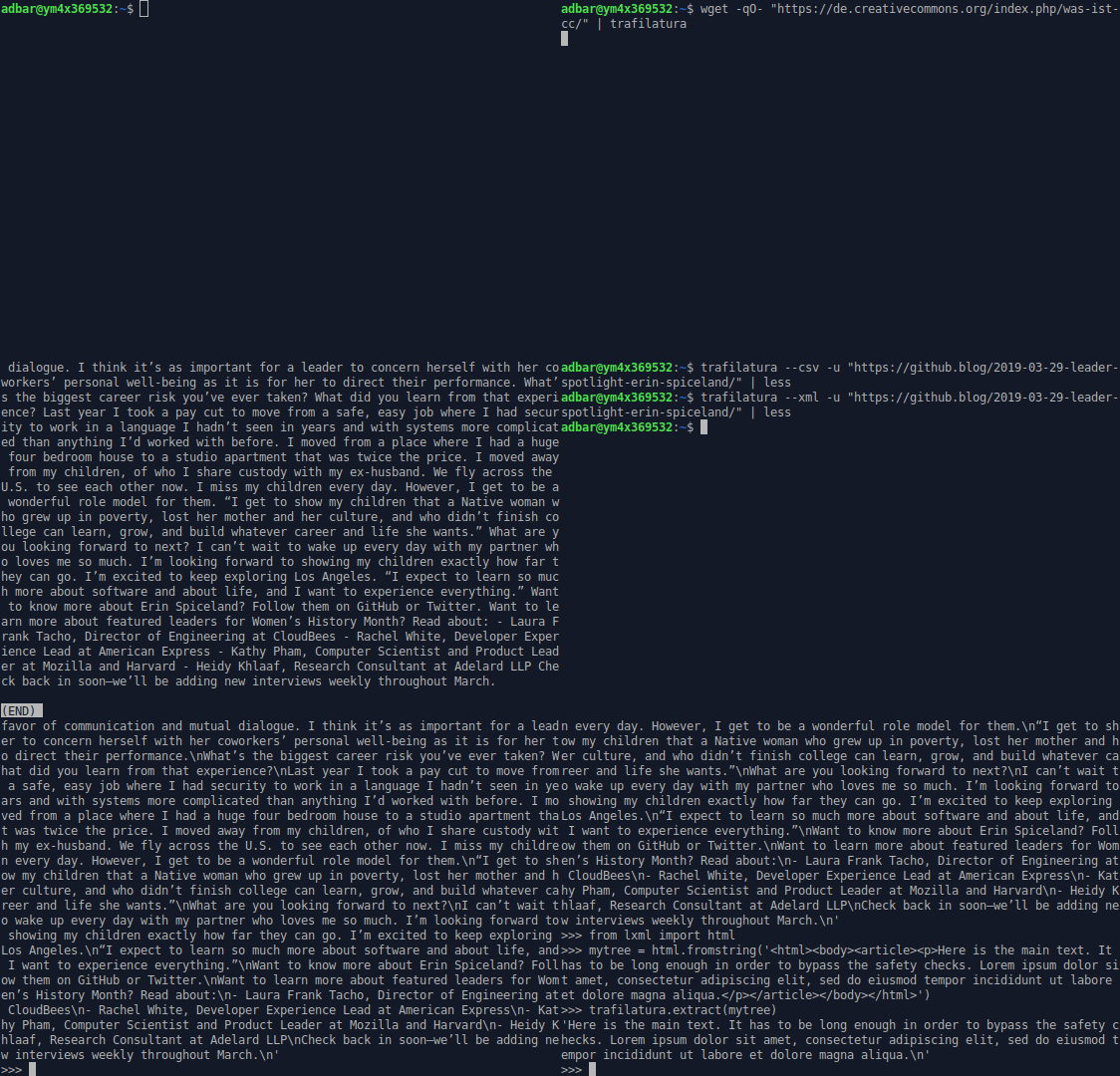
Introduction
Trafilatura is a cutting-edge Python package and command-line tool designed to gather text on the Web and simplify the process of turning raw HTML into structured, meaningful data. It includes all necessary discovery and text processing components to perform web crawling, downloads, scraping, and extraction of main texts, metadata and comments. It aims at staying handy and modular: no database is required, the output can be converted to commonly used formats.
Going from HTML bulk to essential parts can alleviate many problems related to text quality, by focusing on the actual content, avoiding the noise caused by recurring elements like headers and footers and by making sense of the data and metadata with selected information. The extractor strikes a balance between limiting noise (precision) and including all valid parts (recall). It is robust and reasonably fast.
Trafilatura is widely used and integrated into thousands of projects by companies like HuggingFace, IBM, and Microsoft Research as well as institutions like the Allen Institute, Stanford, the Tokyo Institute of Technology, and the University of Munich.
Features
-
Advanced web crawling and text discovery:
- Support for sitemaps (TXT, XML) and feeds (ATOM, JSON, RSS)
- Smart crawling and URL management (filtering and deduplication)
-
Parallel processing of online and offline input:
- Live URLs, efficient and polite processing of download queues
- Previously downloaded HTML files and parsed HTML trees
-
Robust and configurable extraction of key elements:
- Main text (common patterns and generic algorithms like jusText and readability)
- Metadata (title, author, date, site name, categories and tags)
- Formatting and structure: paragraphs, titles, lists, quotes, code, line breaks, in-line text formatting
- Optional elements: comments, links, images, tables
-
Multiple output formats:
- TXT and Markdown
- CSV
- JSON
- HTML, XML and XML-TEI
-
Optional add-ons:
- Language detection on extracted content
- Speed optimizations
-
Actively maintained with support from the open-source community:
- Regular updates, feature additions, and optimizations
- Comprehensive documentation
Evaluation and alternatives
Trafilatura consistently outperforms other open-source libraries in text extraction benchmarks, showcasing its efficiency and accuracy in extracting web content. The extractor tries to strike a balance between limiting noise and including all valid parts.
For more information see the benchmark section and the evaluation readme to run the evaluation with the latest data and packages.
Other evaluations:
- Most efficient open-source library in ScrapingHub's article extraction benchmark
- Best overall tool according to Bien choisir son outil d'extraction de contenu à partir du Web (Lejeune & Barbaresi 2020)
- Best single tool by ROUGE-LSum Mean F1 Page Scores in An Empirical Comparison of Web Content Extraction Algorithms (Bevendorff et al. 2023)
Usage and documentation
Getting started with Trafilatura is straightforward. For more information and detailed guides, visit Trafilatura's documentation:
- Installation
- Usage: On the command-line, With Python, With R
- Core Python functions
- Interactive Python Notebook: Trafilatura Overview
- Tutorials and use cases
Youtube playlist with video tutorials in several languages:
License
This package is distributed under the Apache 2.0 license.
Versions prior to v1.8.0 are under GPLv3+ license.
Contributing
Contributions of all kinds are welcome. Visit the Contributing page for more information. Bug reports can be filed on the dedicated issue page.
Many thanks to the contributors who extended the docs or submitted bug reports, features and bugfixes!
Context
This work started as a PhD project at the crossroads of linguistics and NLP, this expertise has been instrumental in shaping Trafilatura over the years. Initially launched to create text databases for research purposes at the Berlin-Brandenburg Academy of Sciences (DWDS and ZDL units), this package continues to be maintained but its future depends on community support.
If you value this software or depend on it for your product, consider sponsoring it and contributing to its codebase. Your support on GitHub or ko-fi.com will help maintain and enhance this popular package.
Trafilatura is an Italian word for wire drawing symbolizing the refinement and conversion process. It is also the way shapes of pasta are formed.
Author
Reach out via ia the software repository or the contact page for inquiries, collaborations, or feedback. See also social networks for the latest updates.
- Barbaresi, A. Trafilatura: A Web Scraping Library and Command-Line Tool for Text Discovery and Extraction, Proceedings of ACL/IJCNLP 2021: System Demonstrations, 2021, p. 122-131.
- Barbaresi, A. "Generic Web Content Extraction with Open-Source Software", Proceedings of KONVENS 2019, Kaleidoscope Abstracts, 2019.
- Barbaresi, A. "Efficient construction of metadata-enhanced web corpora", Proceedings of the 10th Web as Corpus Workshop (WAC-X), 2016.
Citing Trafilatura
Trafilatura is widely used in the academic domain, chiefly for data acquisition. Here is how to cite it:


@inproceedings{barbaresi-2021-trafilatura,
  title = {{Trafilatura: A Web Scraping Library and Command-Line Tool for Text Discovery and Extraction}},
  author = "Barbaresi, Adrien",
  booktitle = "Proceedings of the Joint Conference of the 59th Annual Meeting of the Association for Computational Linguistics and the 11th International Joint Conference on Natural Language Processing: System Demonstrations",
  pages = "122--131",
  publisher = "Association for Computational Linguistics",
  url = "https://aclanthology.org/2021.acl-demo.15",
  year = 2021,
}
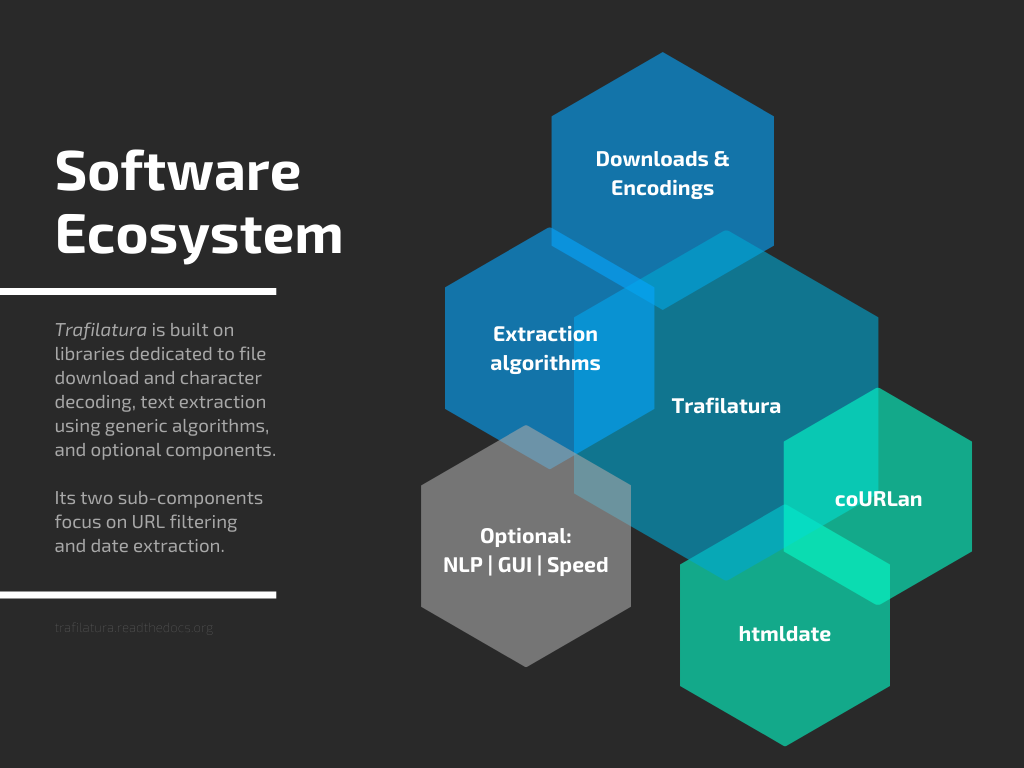
Software ecosystem
Jointly developed plugins and additional packages also contribute to the field of web data extraction and analysis:
Corresponding posts can be found on Bits of Language.
Impressive, you have reached the end of the page: Thank you for your interest!