 微信扫一扫
微信扫一扫README

OpenSumi
A framework helps you quickly build AI Native IDE products.









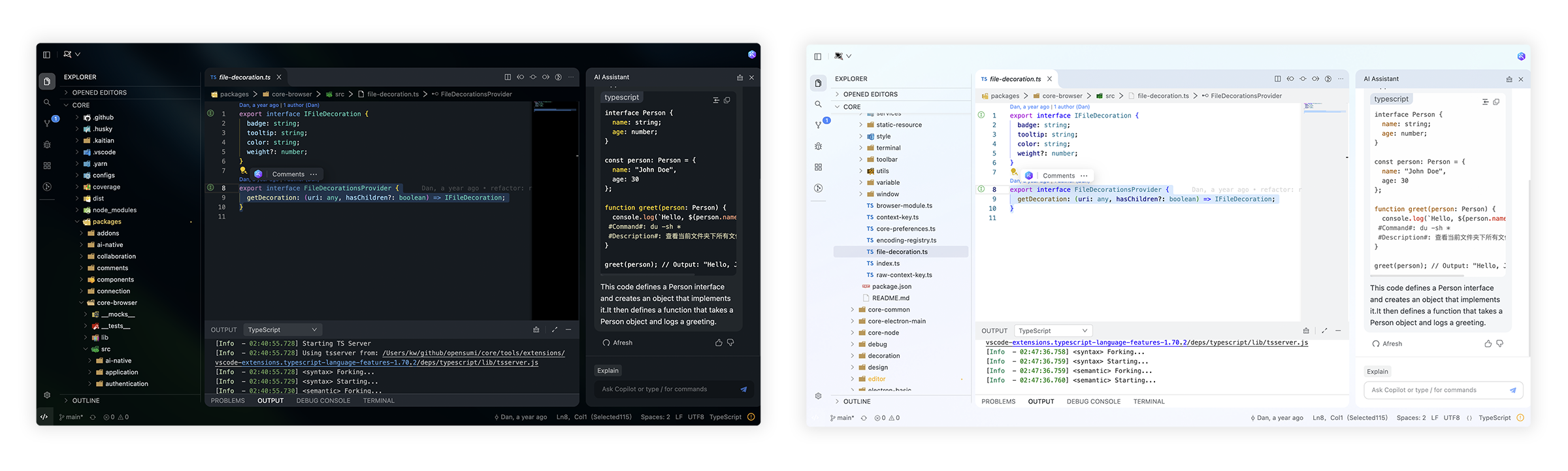
🌟 Getting Started
Here you can find some of our example projects and templates:
- Cloud IDE
- Desktop IDE - based on the Electron
- CodeFuse IDE - AI IDE based on OpenSumi
- CodeBlitz - A pure web IDE Framework
- Lite Web IDE - A pure web IDE on the Browser
- The Mini-App liked IDE
⚡️ Development
$ yarn install
$ yarn run init
$ yarn run download-extension  # Optional
$ yarn run start
By default, the tools/workspace folder in the project would be opened, or you can run the project by specifying the directory in the following way:
$ MY_WORKSPACE={local_path} yarn run start
Usually, you may still encounter some system-level environment dependencies. You can visit Development Environment Preparation to see how to install the corresponding environment dependencies.
📕 Documentation
For complete documentation: opensumi.com
📍 ReleaseNotes & BreakingChanges
You can see all the releasenotes and breaking changes here: CHANGELOG.md.
🔥 Contributing
Read through our Contributing Guide to learn about our submission process, coding rules and more.
🙋♀️ Want to Help?
Want to report a bug, contribute some code, or improve documentation? Excellent! Read up on our Contributing Guidelines for contributing and then check out one of our issues labeled as help wanted or good first issue.
🧑💻 Needs some help?
Go to our issues or discussions to create a topic, it will be resolved as soon as we can.
✨ Contributors
Let's build a better OpenSumi together.
|

|

|
We warmly invite contributions from everyone. Before you get started, please take a moment to review our Contributing Guide. Feel free to share your ideas through Pull Requests or GitHub Issues.
📃 License
Copyright (c) 2019-present Alibaba Group Holding Limited, Ant Group Co. Ltd.
Licensed under the MIT license.
This project contains various third-party code under other open source licenses.
See the NOTICE.md file for more information.