 微信扫一扫
微信扫一扫README

n8n - Secure Workflow Automation for Technical Teams
n8n is a workflow automation platform that gives technical teams the flexibility of code with the speed of no-code. With 400+ integrations, native AI capabilities, and a fair-code license, n8n lets you build powerful automations while maintaining full control over your data and deployments.
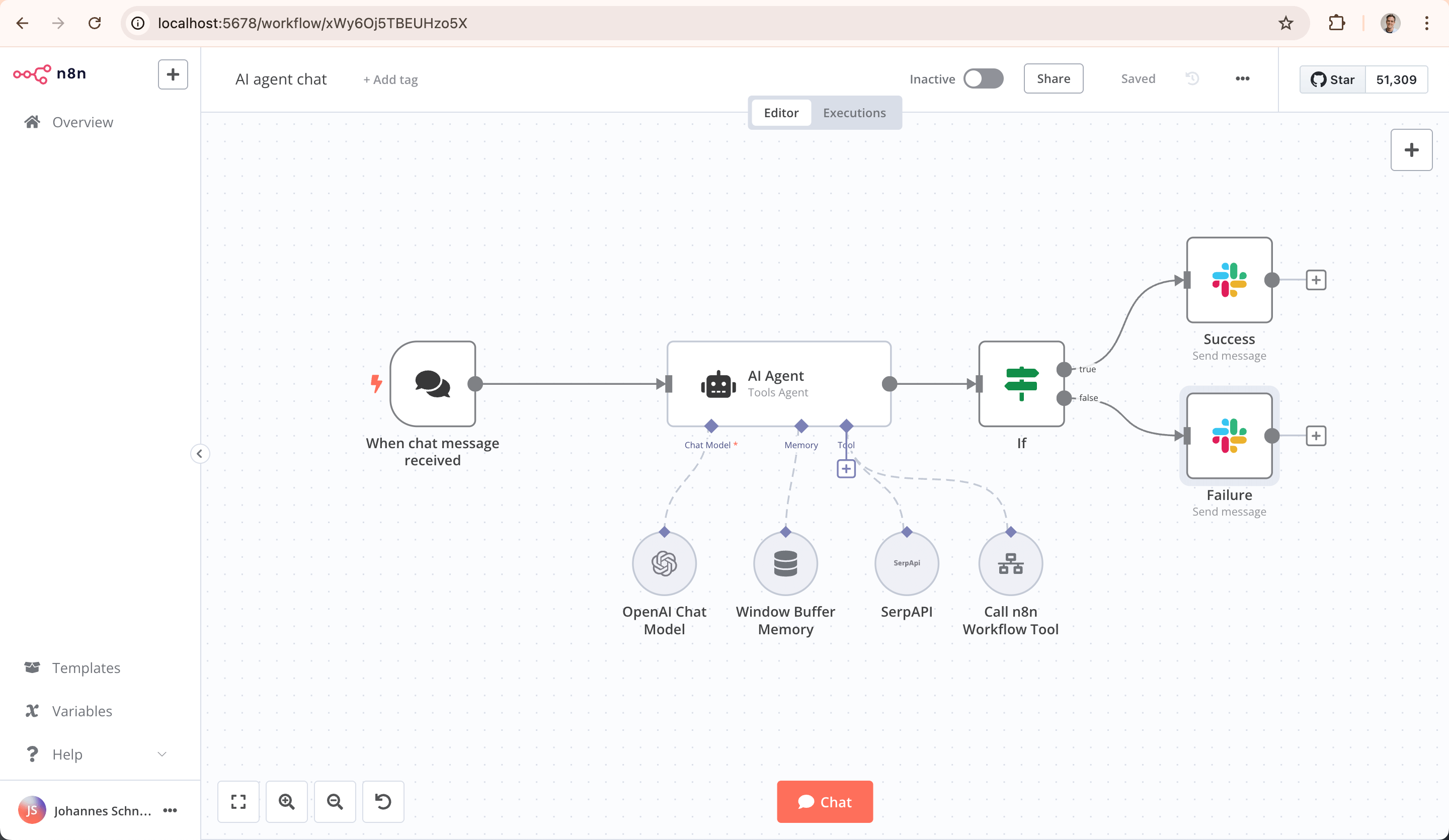
Key Capabilities
- Code When You Need It: Write JavaScript/Python, add npm packages, or use the visual interface
- AI-Native Platform: Build AI agent workflows based on LangChain with your own data and models
- Full Control: Self-host with our fair-code license or use our cloud offering
- Enterprise-Ready: Advanced permissions, SSO, and air-gapped deployments
- Active Community: 400+ integrations and 900+ ready-to-use templates
Quick Start
Try n8n instantly with npx (requires Node.js):
npx n8n
Or deploy with Docker:
docker volume create n8n_data
docker run -it --rm --name n8n -p 5678:5678 -v n8n_data:/home/node/.n8n docker.n8n.io/n8nio/n8n
Access the editor at http://localhost:5678
Resources
- 📚 Documentation
- 🔧 400+ Integrations
- 💡 Example Workflows
- 🤖 AI & LangChain Guide
- 👥 Community Forum
- 📖 Community Tutorials
Support
Need help? Our community forum is the place to get support and connect with other users: community.n8n.io
License
n8n is fair-code distributed under the Sustainable Use License and n8n Enterprise License.
- Source Available: Always visible source code
- Self-Hostable: Deploy anywhere
- Extensible: Add your own nodes and functionality
Enterprise licenses available for additional features and support.
Additional information about the license model can be found in the docs.
Contributing
Found a bug 🐛 or have a feature idea ✨? Check our Contributing Guide for a setup guide & best practices.
Join the Team
Want to shape the future of automation? Check out our job posts and join our team!
What does n8n mean?
Short answer: It means "nodemation" and is pronounced as n-eight-n.
Long answer: "I get that question quite often (more often than I expected) so I decided it is probably best to answer it here. While looking for a good name for the project with a free domain I realized very quickly that all the good ones I could think of were already taken. So, in the end, I chose nodemation. 'node-' in the sense that it uses a Node-View and that it uses Node.js and '-mation' for 'automation' which is what the project is supposed to help with. However, I did not like how long the name was and I could not imagine writing something that long every time in the CLI. That is when I then ended up on 'n8n'." - Jan Oberhauser, Founder and CEO, n8n.io