 微信扫一扫
微信扫一扫Fuxian Diagram
English · 简体中文
Turn complex content into readable diagrams without having to choose a diagram engine yourself. This companion skill for Fuxian identifies what needs explaining, chooses an appropriate visual, and produces Markdown diagram source with layout checks.
Explore Fuxian · Download the reader · Report an issue
Install
With Node.js and npm available, run:
npx skills add def-peter/fuxian --skill fuxian-diagram
Choose your agent and installation scope when prompted. The skills CLI supports agents including Claude Code, Codex, and Cursor; rendering capabilities depend on the environment you use.
List available skills before installing:
npx skills add def-peter/fuxian --list
Update installed skills:
npx skills update
The skill supplies instructions and references. Install Fuxian separately to read the generated Markdown and export it as PDF. Other readers may support only some of the four diagram formats.
What it does
| Your content | Typical choice |
| ----------------------------------------------------------- | ------------------------------------------------ |
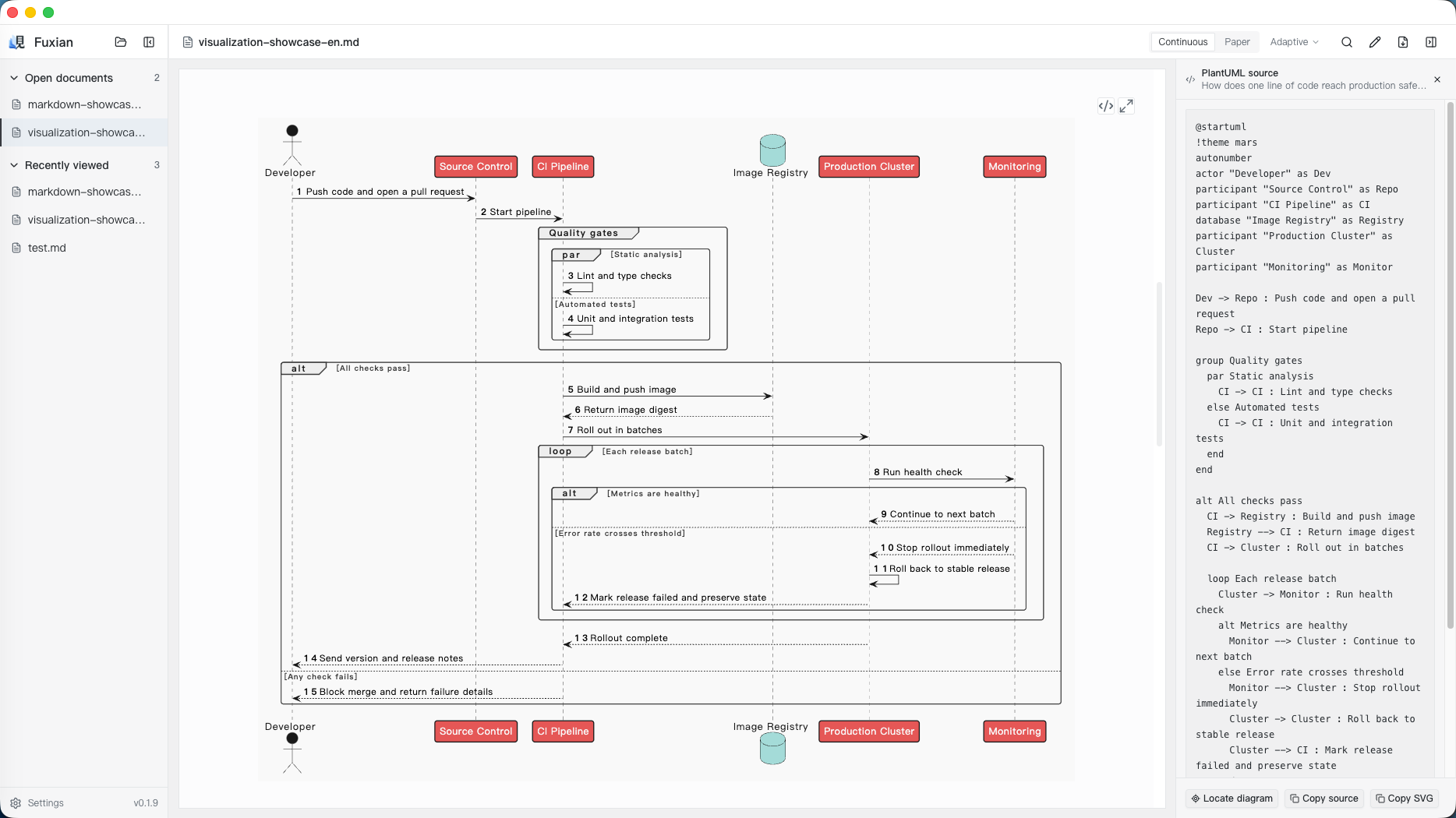
| Processes, interactions, state changes, architecture | PlantUML, with the mars theme by default |
| A Mermaid request or a target environment requiring Mermaid | Mermaid |
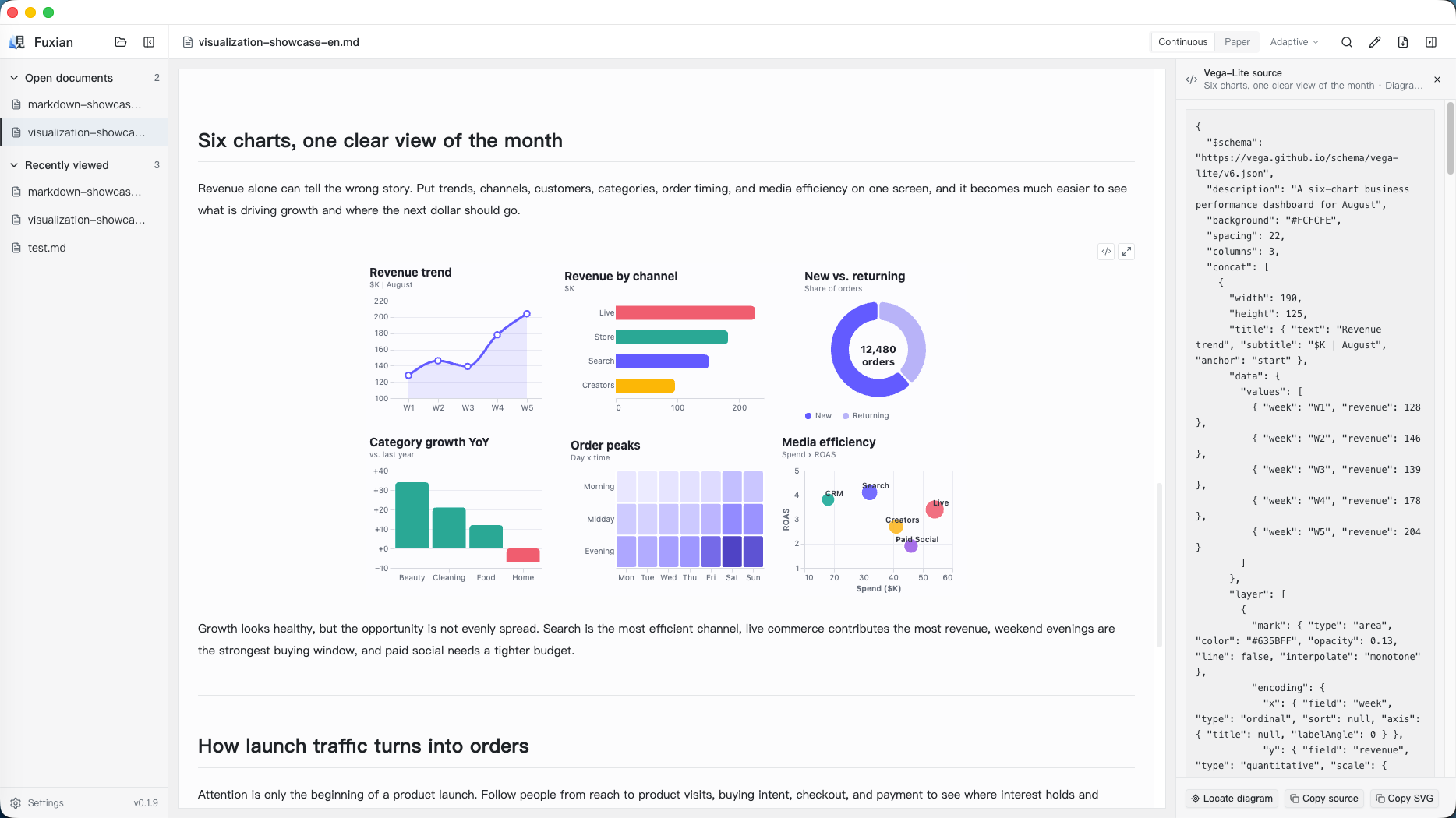
| Comparisons, trends, distributions, correlations | Vega-Lite, with an Ant Design palette by default |
| Key points, stages, milestones, visual summaries | AntV Infographic |
Your explicit diagram type, engine, theme, or colors take priority. PlantUML is preferred where it overlaps with Mermaid. Default Vega-Lite colors favor blue, cyan, purple, green, and magenta; brown tones are reserved for a meaningful use or an explicit request.
For a whole document, the skill selects the important or difficult passages first. It preserves source facts, supplies editable diagram source, and checks syntax and layout when rendering tools are available. If rendering cannot be verified, it reports that limit.
Languages
Use the skill with Chinese or English requests. Explicit output-language instructions take priority; document edits follow the target document's language, and other tasks follow your request's language. Diagram titles, labels, legends, and explanations follow that choice. Syntax keywords, identifiers, and data fields keep their original spelling.
The agent instructions, detailed references, and example copy are written in English; generated output follows the requested language. Ask explicitly for bilingual labels or separate language versions when needed.
Try it
- “Add diagrams to this design document. Choose the parts that are hardest to understand and place the diagrams beside the relevant text.”
- “Explain this approval process, including rejection and resubmission paths. Choose a suitable diagram.”
- “Use this monthly revenue CSV to show the trend and compare regions, using Ant Design colors.”
You can also explicitly ask your agent to use fuxian-diagram.
Read the result in Fuxian
Fuxian is a Markdown desktop reader for Windows and macOS. It renders all four diagram formats within the document and supports PDF export. These screenshots show examples of the reader's rendering capabilities; they are not a guarantee of identical skill output.
Documentation
- Skill instructions
- Diagram selection guide
- Fuxian capabilities and rendering limits
- Engine references: PlantUML, Mermaid, Vega-Lite, Infographic
- Official sources and maintenance
Project links provide attribution and a reader download path. The skill does not ask agents to insert promotional links into generated diagrams or answers.
License
Created by Peter Li. Released under the MIT License.